Candy Kingdom Defense Discord: Community & Codes Guide
Find the Candy Kingdom Defense Discord community, learn where to check codes and updates, and get practical help with squads, traits, and hero evolutions.
Jump to
How to Find the Candy Kingdom Defense Discord
Looking for the Candy Kingdom Defense Discord before spending another stack of Trait Crystals? Start with the Candy Kingdom Defense Roblox page and use developer-posted community links to choose your server. The Candy Kingdom Defense Discord gives you a place to follow code announcements, discuss hero upgrades, and ask focused questions before committing resources.
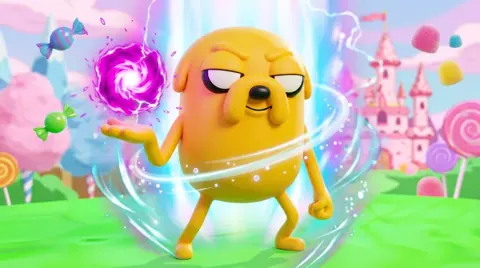
Keep Monero Studios in mind when checking the community you’re joining. That is the developer behind this Adventure Time-themed Roblox tower defense game, where Finn, Jake, Princess Bubblegum, and other familiar characters defend the Land of Ooo.
Use these details to identify the correct experience:
| Detail | Candy Kingdom Defense |
|---|---|
| Roblox experience | [RELEASE] Candy Kingdom Defense |
| Developer | Monero Studios |
| Place ID | 111053011787075 |
| Game type | Strategy / Tower Defense |
| Supported devices | PC, mobile, and tablet |
| Cooperative play | You plus up to three friends |
Follow an invitation shared through the developer’s own channels. A matching server name or familiar character artwork alone shouldn’t decide which community you join.
Once inside, read the server’s rules and look for developer announcements before posting. Keep your opening question specific: “Which evolution should I work toward with this team?” gives other players something useful to answer.
You can also use the Roblox page to return to the game, check its description, and keep the developer’s identity straight. Bookmark that starting point so you don’t have to repeat the search whenever you want community news.
Use the Community to Track Codes and Rewards
Codes are one practical reason to follow the Candy Kingdom Defense Discord. Free rewards can support summoning and hero progression, while code announcements give you something actionable to check between matches.
Start with these October 2026 codes:
| Code | Reward information |
|---|---|
RELEASE | Free rewards |
HALLOWEENSOON | Free rewards |
Check the latest developer announcement before planning around an older code. Enter codes exactly as written, and read the redemption message before trying the same entry again.
How to redeem Candy Kingdom Defense codes
You redeem codes inside the game at Jake’s Code Corner in the Tree Fort.
- Start Candy Kingdom Defense on Roblox.
- Choose Finn or Jake if you are beginning a new game.
- Complete or skip the tutorial.
- Find Jake in the lobby with the Codes label above him.
- Interact with Jake.
- Enter the code in the Type A Code field.
- Select Redeem to claim the reward.
Keep code redemption separate from your spending decisions. Getting more resources doesn’t mean you need to spend them immediately.
Before summoning, inspect your current heroes. Before rerolling, decide which unit you actually want to improve. Before feeding duplicates, compare their stat grades. Those checks matter because two copies of the same character can have different stats.
Remember your other reward menus, too. Quests, daily rewards, battle pass rewards, and level rewards all belong in your routine. Check those menus before deciding you need another purchase or a longer grinding session.
When asking about a code, include the exact text you entered and the response you received. “This code failed” leaves out the information another player needs to help.
Follow Updates Without Mixing Up Game Versions
Use the Candy Kingdom Defense Discord to keep update discussions tied to the game you are playing now. A team recommendation makes more sense when everyone is discussing the same hero form, attack upgrade, and game mode.
As of October 21, 2026, the Roblox experience had an update date of October 20, 2026. Keep dates attached to older advice, particularly when it concerns targeting behavior, newly accessible areas, or the value of an evolution.
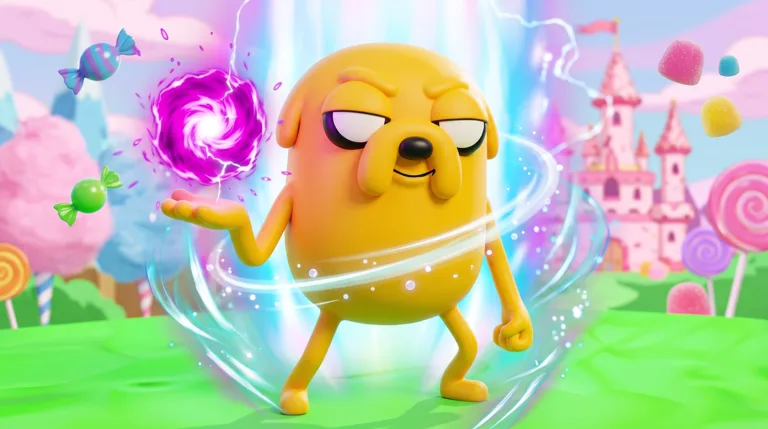
For example, Jake and Alien Jake are different forms with different attacks. Advice about ordinary Jake’s Stretchy Tornado doesn’t describe Alien Jake’s black hole attack. The same distinction matters when comparing Marceline with Marceline Beast.
When reading an update discussion, look for answers to concrete questions:
- Which hero or evolved form changed?
- Which attack or upgrade is involved?
- Does the discussion concern story stages, Infinite Mode, challenges, or battles?
- Is the issue about damage, targeting, range, or crowd control?
- Does the advice account for the unit’s level and trait?
Those details help you separate a useful explanation from a broad statement like “this unit is broken.”
Be equally precise with upcoming content. A Halloween-themed code and a released Halloween update are separate things. Follow developer announcements for release timing instead of building a schedule around excitement in general chat.
For gameplay problems, describe what happened on screen. “Flame Princess fired away from enemies after an upgrade” is more useful than “Flame Princess is bad.” Include the stage, upgrade, and device when you can. That gives the discussion a clear starting point without turning one frustrating match into a claim about every situation.
Ask Better Questions About Traits, Stats, and Evolutions
The Candy Kingdom Defense Discord becomes more useful when your questions include your actual roster. A character name alone leaves out much of the progression system.
Heroes can gain levels, receive traits, have their stats rerolled, and evolve into different forms. Each system uses its own resources, so identify the upgrade you mean before asking how to improve a unit.
| Progression system | Resource or action | What to include in your question |
|---|---|---|
| Summoning | Gems at the Treasure Hoard | Your current roster and the hero you want |
| Hero leveling | XP candies or feeding spare heroes | Current level and available duplicates |
| Trait rerolling | Trait Crystals | Hero name and current trait |
| Stat rerolling | Units of Juice | Existing stat grades |
| Evolution | Required evolution materials | Current form and intended evolution |
Compare duplicates before feeding them
Check duplicate heroes individually. One Finn can have different damage, range, and cooldown grades from another Finn.
Compare the stats that matter to the decision you are making, then ask a focused question. For example:
“I have two copies of Finn with different damage and cooldown grades. Which one should I invest XP candies in for my current story team?”
That question gives other players a comparison to work with. Include the actual grades rather than expecting everyone to infer them from the character’s rarity.
Review your selections before using the feeding system. It consumes spare heroes to provide experience, so inspect anything you want to keep before confirming.
Separate trait advice from stat advice
Trait Crystals reroll traits. Units of Juice reroll stats. Keep those names straight when asking about resource spending.
The trait pool includes Oh My Glob and Hero of Ooo. Decide what you want to improve before chasing a particular roll, and include your current trait when asking whether to continue.
Avoid asking only for “the best roll.” Ask how a trait fits the hero and the role you want that hero to fill. A useful answer should connect the upgrade to your team rather than simply point at the rarest option.
Discuss evolutions by their actual roles
Evolution changes can affect how a hero fights. Alien Jake adds attacks that include damage over time and a black hole that pulls enemies inward. Marceline Beast has a role as a boss killer, while King BMO uses a multihit attack involving other characters.
Build your question around the problem you need to solve:
- Ask about Alien Jake when you want to discuss enemy control.
- Ask about Marceline Beast when bosses are the obstacle.
- Ask how King BMO’s multihit attacks fit alongside your existing damage dealers.
Include your available materials before requesting an evolution plan. That lets the conversation address a decision you can actually make.
Find Teammates and Make Gameplay Discussions Useful
Candy Kingdom Defense supports playing with up to three friends, so use the community to organize a squad around a clear objective. Name the activity, the stage you want to clear, and the heroes you can bring.
Different activities create different questions:
| Activity | What it involves | Useful discussion topic |
|---|---|---|
| Story stages | Defending against waves across the game’s worlds | Stage progress and team composition |
| Infinite Mode | Surviving continuing waves | Wave goals and defense coverage |
| Dungeon Train challenges | Challenge missions with rewards and modifiers | Current modifier and required materials |
| Tournaments | Competitive leaderboard play | Team investment and tournament goals |
| Battles | One-on-one play with enemies sent toward the opponent | Sending enemies while maintaining your defense |
“Anyone want to play?” can start a conversation, but it doesn’t explain what your group is trying to accomplish. Try something closer to:
“Looking for teammates for story progression. I can bring Finn and Alien Jake, and I’m working toward another evolution.”
Replace those names with your real roster. Include whether you want a quick clear, material farming, or help understanding a stage.
Use the Candy Kingdom Defense Discord for mechanical questions as well as matchmaking. Ask how to combine enemy control with damage, where a unit’s attack pattern fits along the road, or which part of your team needs more investment.
Keep displayed damage in context. A hero’s level, trait, stat grades, and attack upgrade all matter when comparing it with another unit. Don’t spend your resources trying to reproduce a damage number without checking the setup behind it.
Turn a rough match into useful feedback
Describe problems through actions and results. For a targeting issue, name the hero, its upgrade, where enemies were moving, and what the attack did.
For an interface issue, include your device and the controls that overlapped. Candy Kingdom Defense supports PC, mobile, and tablet, making device information relevant when discussing buttons or screen layout.
Keep suggestions equally concrete. Explain which interaction you want improved and how it affected your match. “The send controls covered my upgrade controls during battles” gives a clearer problem than a general complaint about the interface.
FAQ
How do I find the Candy Kingdom Defense Discord?
Start with the Candy Kingdom Defense experience on Roblox and follow community invitations posted through the developer’s own channels. Check that you are following Monero Studios, the developer behind the game.
Where do I redeem Candy Kingdom Defense codes?
Visit Jake’s Code Corner in the Tree Fort after completing or skipping the tutorial. Interact with Jake, enter the code in the Type A Code field, and select Redeem. October 2026 codes include RELEASE and HALLOWEENSOON.
What should I include when asking for team advice?
Share your heroes, their levels, traits, relevant stat grades, and the mode or stage giving you trouble. Specify evolved forms, too. A question about Alien Jake needs different information from a question about ordinary Jake.
Can I play Candy Kingdom Defense with friends?
Yes. You can squad up with up to three friends. When organizing a group, state your objective and available heroes so everyone joins with a clear idea of what you want to accomplish.
Continue with
 Candy Kingdom Defense Multiplayer: Co-Op & PvP GuideExplore Candy Kingdom Defense multiplayer with four-player co-op tips, unit roles, 1v1 battle tactics, and progression advice for your next squad session.
More in Community
See all CommunityPopular pages
Candy Kingdom Defense Codes: Free Rewards and Tips
Use Candy Kingdom Defense codes to claim free rewards, find Jake's Code Corner, fix redemption problems, and plan your next upgrades in this Roblox game.
Candy Kingdom Defense Beginner Guide: Start Strong
Use this Candy Kingdom Defense beginner guide to choose heroes, earn gems, manage rerolls, and plan evolutions. Build a stronger squad for your next stage.
Candy Kingdom Defense Tier List: Best Units to Build
Use this Candy Kingdom Defense tier list to compare Alien Jake, King BMO, and more. Pick your next evolution and build a squad for waves and tough bosses.
Candy Kingdom Defense Adult Finn Evolution Explained
Explore Candy Kingdom Defense adult finn evolution, learn how Finn's progression works, and plan your leveling, trait rolls, and evolution shrine visit.
Join the community
Official channels for news, updates and player help: